Temperature
See how warmth changes from room to room.
kolosAQ + KOLOS for Mac
Indoor air sensing.
Right on your Mac.
Air-quality index, temperature, humidity and pressure. Know what’s changing—and use those readings to make your ventilation respond.
Let ventilation follow your air.
Four measurements. One dashboard.
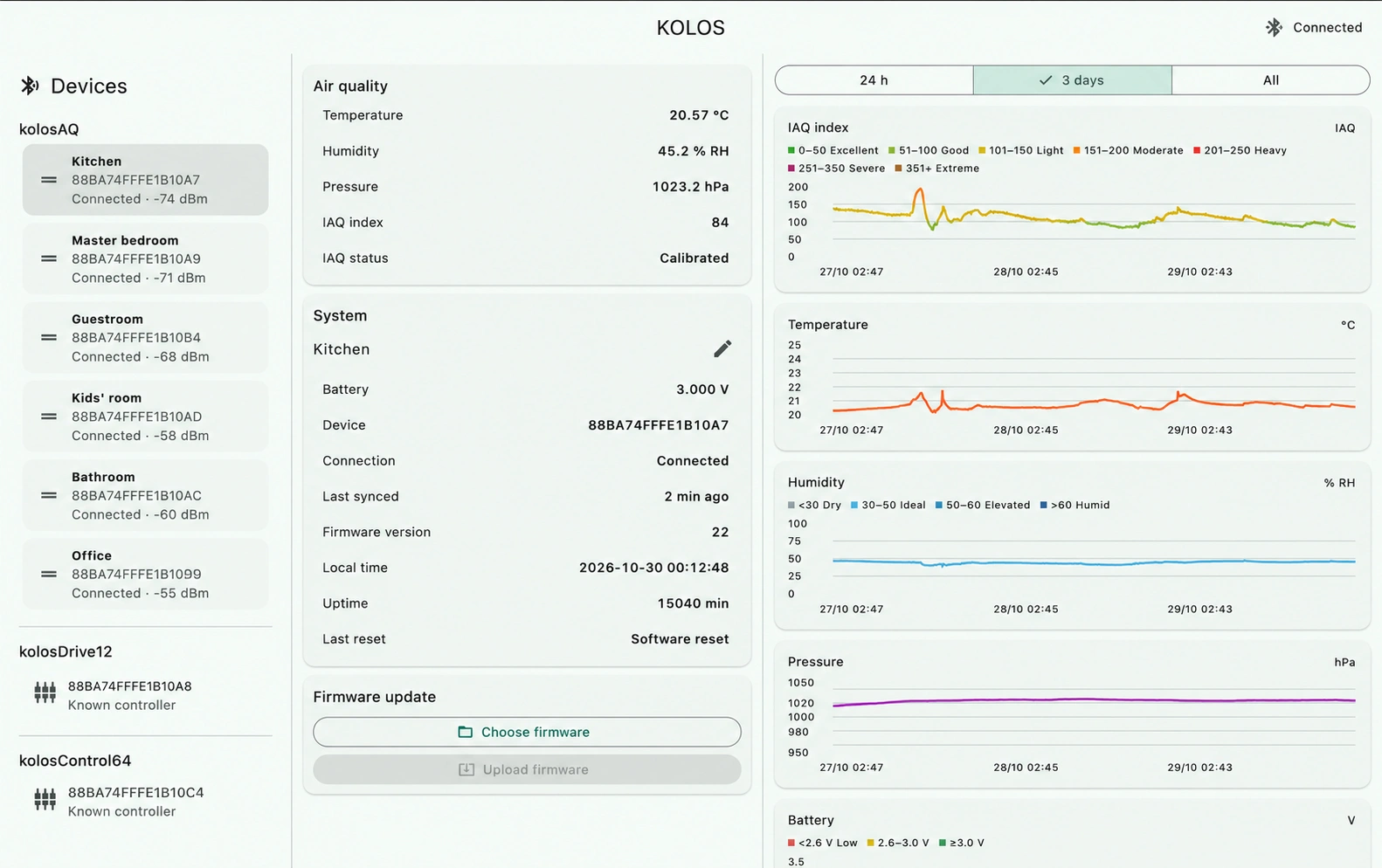
Add a kolosAQ sensor to each room you want to follow. See readings together in KOLOS for Mac, with clear graphs that reveal changes over time.
A new reading every five minutes. Room names you choose. Your measurement history stored locally on your Mac.
See how warmth changes from room to room.
Follow the moisture in your indoor air.
Understand trends in a gas-derived indoor air-quality index.
Track absolute atmospheric pressure over time.
Your companion app
Your rooms, named by you.
Your readings, all together.
Your history, kept on your Mac.
Choose Nearest and your menu-bar reading follows the nearby sensor as you move with your Mac. Prefer one room? Pin its sensor. Or keep an eye on the highest IAQ reading.
Nearest uses Bluetooth signal strength. It estimates proximity, not exact room location. Readings reflect the latest sync.
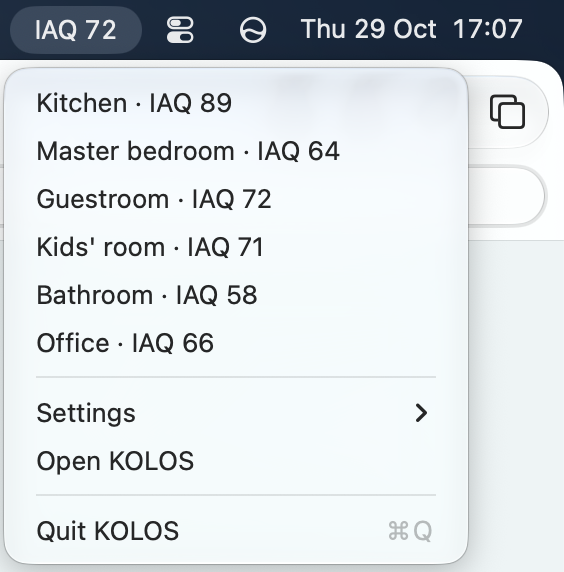
Clear graphs give context to each measurement. See detailed history for up to 30 days, with hourly summaries for up to a year, subject to storage limits.
From sensing to control
Turn ventilation up when air quality declines, and ease it back down as it improves. Pair kolosAQ with kolosDrive12 for ventilation servos or kolosControl64 for analog speed control. Your script defines the response; the controller runs it locally.
Explore kolosDrive12 ↗TRY IT · TWO READINGS. ONE RESPONSE.
Air quality or humidity: either can turn ventilation up. Move the sliders and see this simple logic in action.
Explore analog ventilation control ↗ON SAMPLE(room)
BEGIN
speed := 20.0;
airQualitySpeed := 20.0 + (room.iaq - 100.0);
humiditySpeed := 20.0 + (room.humidity - 60.0) * 4.0;
IF airQualitySpeed > speed THEN speed := airQualitySpeed;
IF humiditySpeed > speed THEN speed := humiditySpeed;
IF speed > 100.0 THEN speed := 100.0;
ventilation := speed;
END;Speed is a percentage. Either reading can increase it; the higher demand wins.
Each IAQ point above 100 adds 1% fan speed.
Each humidity point above 60% adds 4% fan speed.
Start at 20%. Use the higher demand. Stop at 100%.
Both readings are below their boost thresholds. Ventilation stays at 20%.
Direct Bluetooth connection
kolosAQ connects directly over Bluetooth. Your measurement history lives locally on your Mac. No cloud account. No gateway. No subscription.
How it works
Power kolosAQ with two AA batteries and mount it on the ceiling in the room you want to understand.
Pair from KOLOS for Mac using the sensor’s PIN. Give it a room name that feels like home.
Your awake Mac syncs nearby sensors about every five minutes. Open the dashboard for graphs or glance at the menu bar.
Install firmware wirelessly from KOLOS for Mac when you choose. The app keeps history already downloaded to your Mac.
Fits into your home
No power cable to route.
No gateway to find a home for.
Just a sensor, two AA batteries,
and your Mac.

Look back at temperature and humidity changes while you were asleep.
Glance at the air-quality index in your Mac menu bar while you work.
Explore how your readings shift through a room’s daily routine.
The details
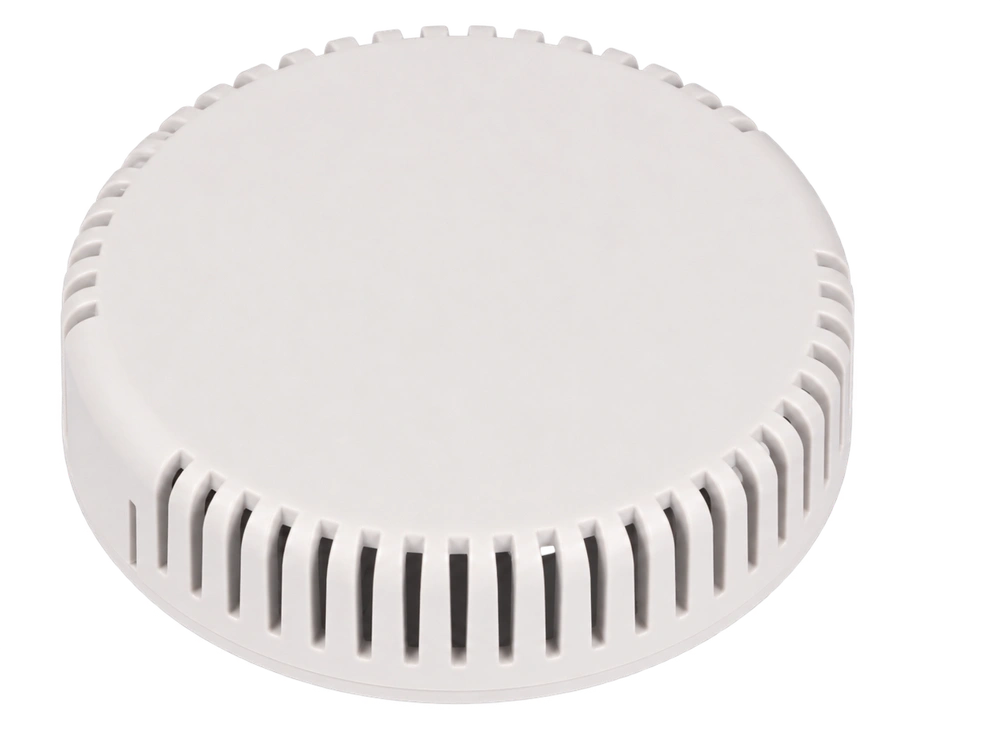
Room sensing in your choice of white, grey or black. Battery-powered, with a direct Bluetooth connection to your Mac.
Useful to know
kolosAQ uses the BME690 and Bosch processing to produce a gas-derived static indoor air-quality index, suited to a sensor kept in a room. It needs time to calibrate; KOLOS shows calibration status. It does not measure CO₂, particulate matter or carbon monoxide, and it is not a safety alarm.
No. The sensor connects directly to KOLOS for Mac over Bluetooth. Normal operation is local, without a cloud account or subscription.
KOLOS estimates which known sensor is nearest using Bluetooth signal strength. Walls and radio conditions can affect the selection, so it is not guaranteed room positioning. You can also pin a sensor or select the highest IAQ reading. The menu bar shows synchronized readings, not an instant measurement on every move.
The sensor continues taking readings using its batteries. Normal Mac synchronization stops during sleep or when KOLOS is quit. On reconnection, KOLOS downloads available missing history. The sensor has limited memory: about 24 hours in detail and hourly summaries spanning about three days total. Power loss or a firmware update clears sensor memory; history already downloaded to the Mac remains.
Battery life varies with the batteries and usage. KOLOS for Mac shows a low-battery indicator and sends a notification when it is time to replace them.
€49 per sensor. Choose white, grey or black.