See the whole story.
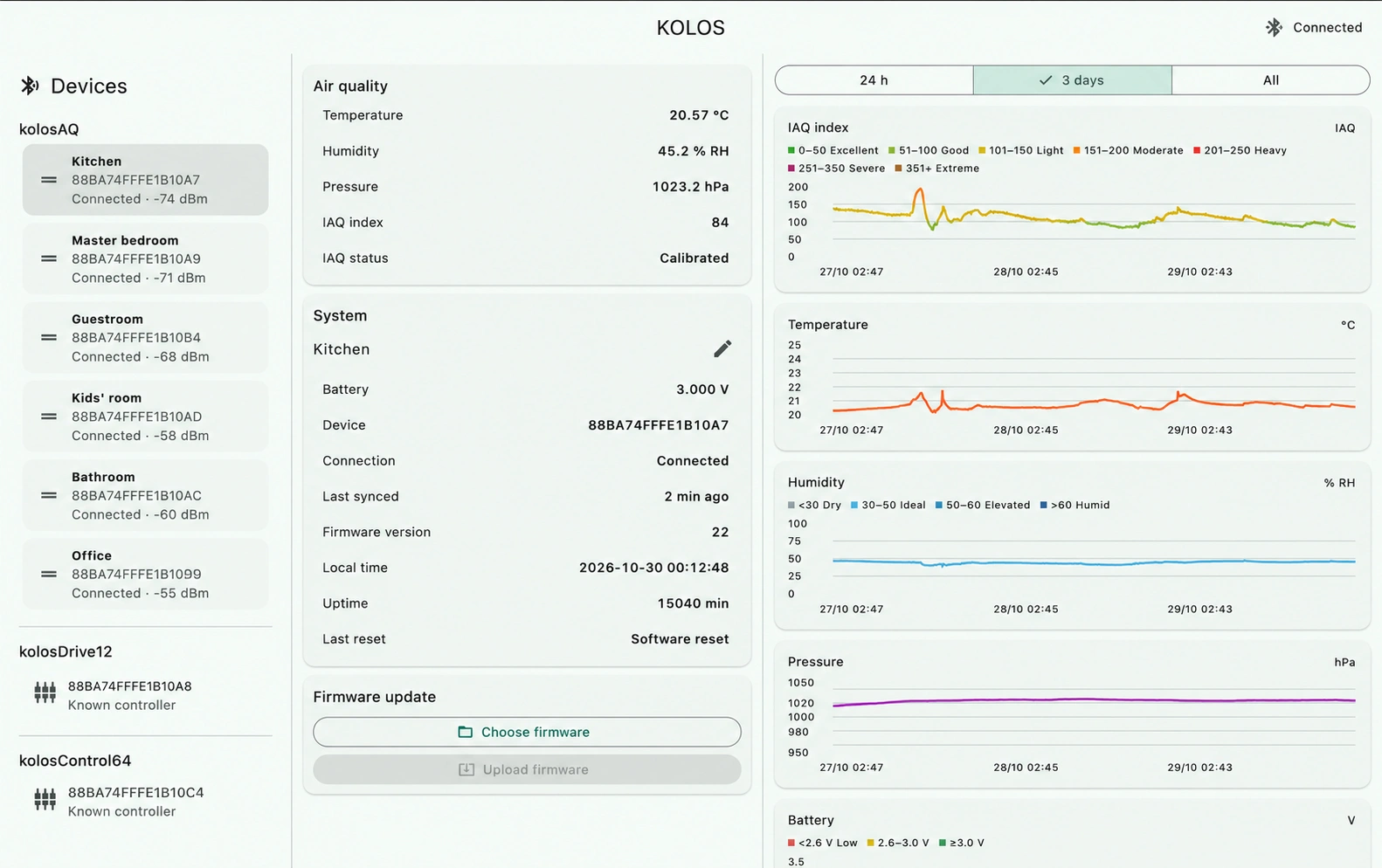
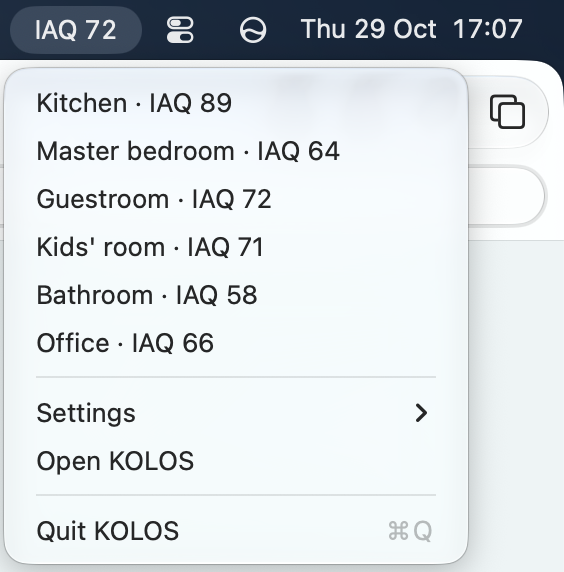
Room names, temperature, humidity, IAQ and pressure. Follow history in clear graphs. Keep the nearest sensor’s reading in your menu bar, using approximate Bluetooth proximity.
Explore sensor features ↗KOLOS FOR MAC
See your rooms. Understand their history.
Give your controllers a program.
ONE COMPANION. TWO WAYS TO USE IT.
Room names, temperature, humidity, IAQ and pressure. Follow history in clear graphs. Keep the nearest sensor’s reading in your menu bar, using approximate Bluetooth proximity.
Explore sensor features ↗Write a script yourself or use AI with the language documentation. Review and compile it, then load it over Bluetooth. Your program runs locally on the controller after upload.
Explore controller features ↗YOUR REQUIREMENTS. YOUR PROGRAM.
KOLOS controllers ship without a preloaded application. A documented scripting language lets you define what the hardware does. Write the script yourself, or ask AI to help turn your requirements into one.
Describe the sensors, connected equipment and behavior you want. Give your AI assistant the KOLOS language documentation.
Review the generated script, its input and output assignments, and what should happen if sensor data stops arriving. Compile and check it before use.
Load the program onto the controller. The logic then runs locally, without the AI assistant or your Mac needing to stay connected.
“Use the room sensor to control a 24 V heating valve around my chosen temperature. Define what the output should do if fresh readings stop arriving.”
Describe the result you want. Review and test your script, then make it your own.
LOCAL BY DESIGN
Sensor history stays locally on your Mac. Controller program source stays in your local files. No cloud account or subscription is required for these workflows.
APP FEATURES